
Download MP3 Workshop – MP3, audio editor, CD burner, format converter, ID3 tag editor, audio utility
Overview
MP3 Workshop is a comprehensive audio utility designed to streamline the management, editing, and conversion of digital audio files. Since its initial release in 2001, the application has evolved into a reliable tool for users seeking a centralized solution for various audio-related tasks. The app is particularly useful for individuals managing large music libraries, content creators, or anyone needing to prepare audio for playback on different devices. Its core purpose lies in simplifying complex audio workflows—such as burning custom CDs, editing tracks, and converting file formats—into intuitive, accessible steps. The target audience includes both casual users and professionals who value efficiency and precision in audio handling.
Although the developer did not provide additional technical details about the company’s background, the app’s long-standing presence in the audio software space suggests a commitment to stability and user-focused development. Real-world use cases include preparing audio for live events, organizing music collections with accurate metadata, and creating high-quality audio compilations. In the broader software ecosystem, MP3 Workshop occupies a niche as a dedicated audio utility that fills gaps left by more generalized media players or basic file managers. For users seeking a single application to handle multiple audio tasks, MP3 Workshop offers a cohesive and purpose-built solution.
Key Features & Functionality
- CD Burning: Users can easily burn MP3 files to physical CDs, enabling playback on standard CD players. The feature supports custom track ordering and seamless integration with local audio libraries.
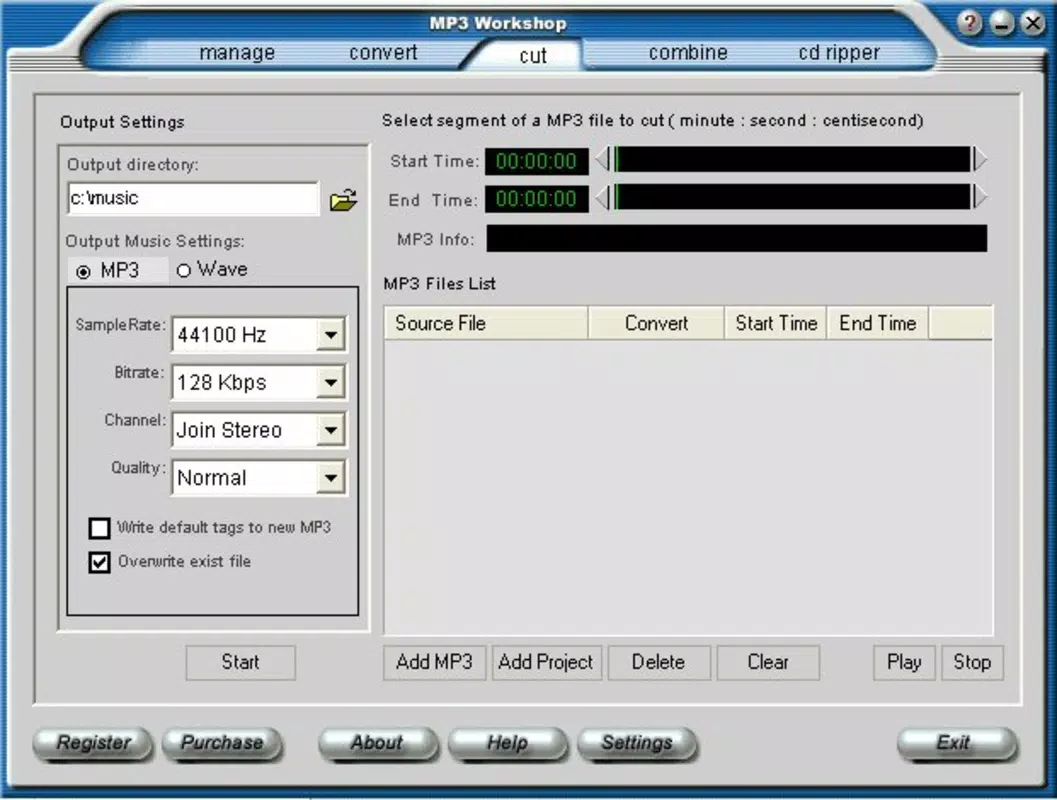
- Audio Editing: The app allows users to split or join audio files with minimal effort. This functionality is ideal for trimming long recordings or combining multiple tracks into a single file.
- ID3 Tag Management: Users can edit metadata such as artist, album, title, and genre. Batch editing is supported, making it efficient to update large collections.
- Fading Effects: Apply smooth fade-in and fade-out effects to audio tracks. This enhances transitions between songs and is especially useful for DJs or podcast creators.
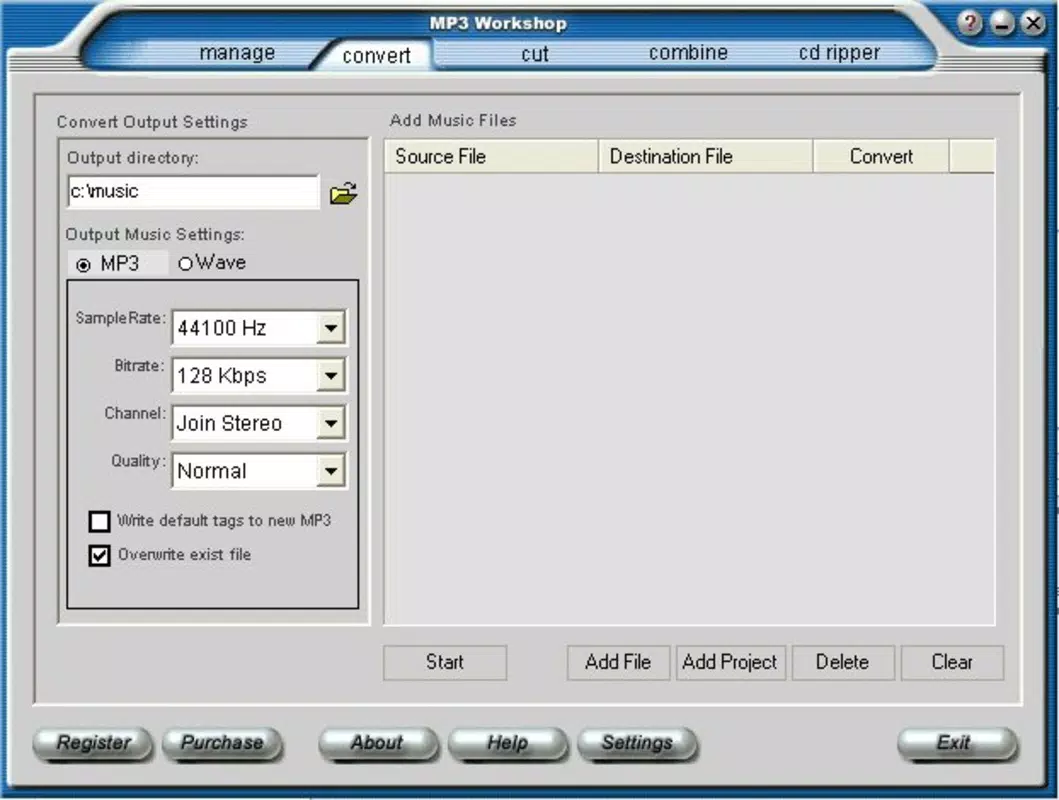
- Format Conversion: Convert MP3 files to WAV and other formats, ensuring compatibility with devices or software that require different audio standards. The conversion process is fast and maintains audio quality.
These features are particularly valuable in practical scenarios—such as preparing a custom playlist for a party, organizing a digital music archive, or adapting audio for use in video projects. The intuitive design ensures that even users without technical expertise can perform advanced audio tasks efficiently. The combination of editing, tagging, and conversion tools makes MP3 Workshop a versatile asset for anyone managing digital audio content.
Interface, UX & Performance
MP3 Workshop features a clean, straightforward interface that prioritizes functionality over visual flair. The layout is organized into clearly labeled sections, allowing users to navigate between CD burning, editing, tagging, and conversion tools with ease. The visual style is consistent with traditional desktop software, emphasizing usability and accessibility. Navigation is linear and predictable, with minimal onboarding required for first-time users.
Although the developer did not list formal performance metrics, the app’s lightweight file size of 10.2 MB suggests efficient resource usage. It is designed to run smoothly on a variety of Windows systems, including older hardware. Responsiveness is maintained across different device categories, with minimal lag during file processing. Stability appears to be a priority, given the app’s long-term availability and consistent updates. The application handles batch operations without frequent crashes, and the user interface remains responsive even during intensive tasks like format conversion or large-scale tagging.
Platform Compatibility & Technical Requirements
MP3 Workshop is available exclusively for the Windows operating system. The current version, 2.3.2, is compatible with modern Windows environments, though specific OS requirements were not listed. The app’s file size is 10.2 MB, indicating a lightweight footprint suitable for systems with limited storage. While the developer did not specify minimum OS requirements, the application is likely optimized for Windows 7 and later versions, given its release date and continued support.
Users should ensure their system meets basic Windows compatibility standards to run the application. The lack of detailed technical specifications means that advanced users may need to test the app on their specific setup. No mobile or cross-platform availability was indicated, confirming that MP3 Workshop is a desktop-focused utility.
Pros and Cons
Pros
- Comprehensive suite of audio tools in a single application
- Intuitive interface suitable for both beginners and experienced users
- Supports batch editing for efficient metadata management
- Lightweight file size with minimal system resource usage
- Long-standing development history with proven reliability
Cons
- Available only for Windows, with no mobile or macOS support
- Developer did not provide detailed system requirements
- Limited to desktop use, restricting on-the-go accessibility
- Price point may be high for casual users
- No visible update history or changelog for version 2.3.2
FAQ
Is MP3 Workshop safe to download and install?
Yes, MP3 Workshop is a legitimate audio utility developed by a long-standing software provider. It does not contain malware or intrusive ads, though users should always download from official sources.
Can I use MP3 Workshop on my Android or iOS device?
No, the application is currently available only for Windows. There is no version for Android, iOS, or other mobile platforms.
What file formats does MP3 Workshop support?
The app supports MP3, WAV, and other common audio formats for conversion, editing, and burning. Specific format compatibility may vary based on the task.
Does MP3 Workshop require an internet connection?
No, the application operates offline. Internet access is not required for core functions such as editing, conversion, or CD burning.
How often are updates released for MP3 Workshop?
Update frequency was not disclosed. The current version is 2.3.2, released in 2013, suggesting infrequent updates. Users should check the official site for the latest version.
Final Thoughts + CTA
MP3 Workshop stands out as a dependable, all-in-one audio utility for Windows users seeking a streamlined approach to managing digital music. Its blend of CD burning, audio editing, ID3 tagging, and format conversion tools makes it a valuable asset for anyone working with audio files. While the lack of mobile support and infrequent updates may be drawbacks for some, its lightweight design, ease of use, and proven functionality continue to justify its place in the audio software landscape. For users who prioritize reliability and comprehensive features in a single desktop application, MP3 Workshop delivers strong value. The $24.95 price point reflects its mature development and feature set, making it a worthwhile investment for serious audio managers.
Download MP3 Workshop now


